 RonTweaks

Tessera
Turn your Home Screen into a mosaic you lay out yourself.
Pinch the Home Screen and a compact editor slides up. Every change is applied to the real icons while you drag — no respring, and nothing you do can scatter your icons.
com.rontweaks.tessera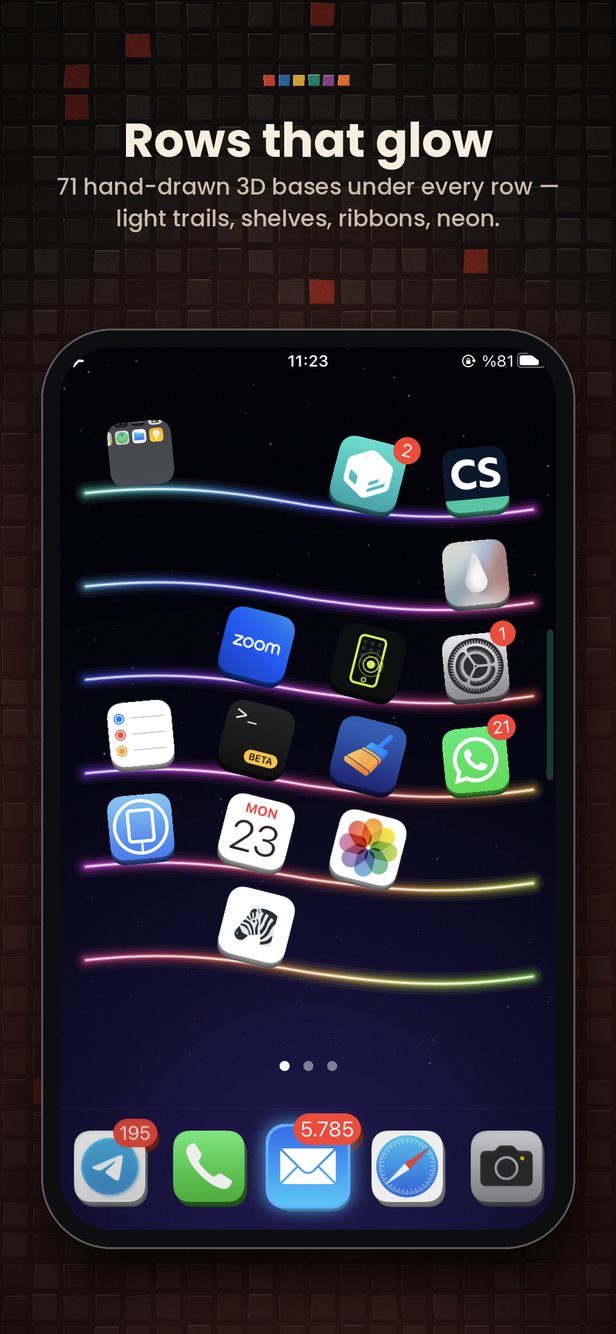
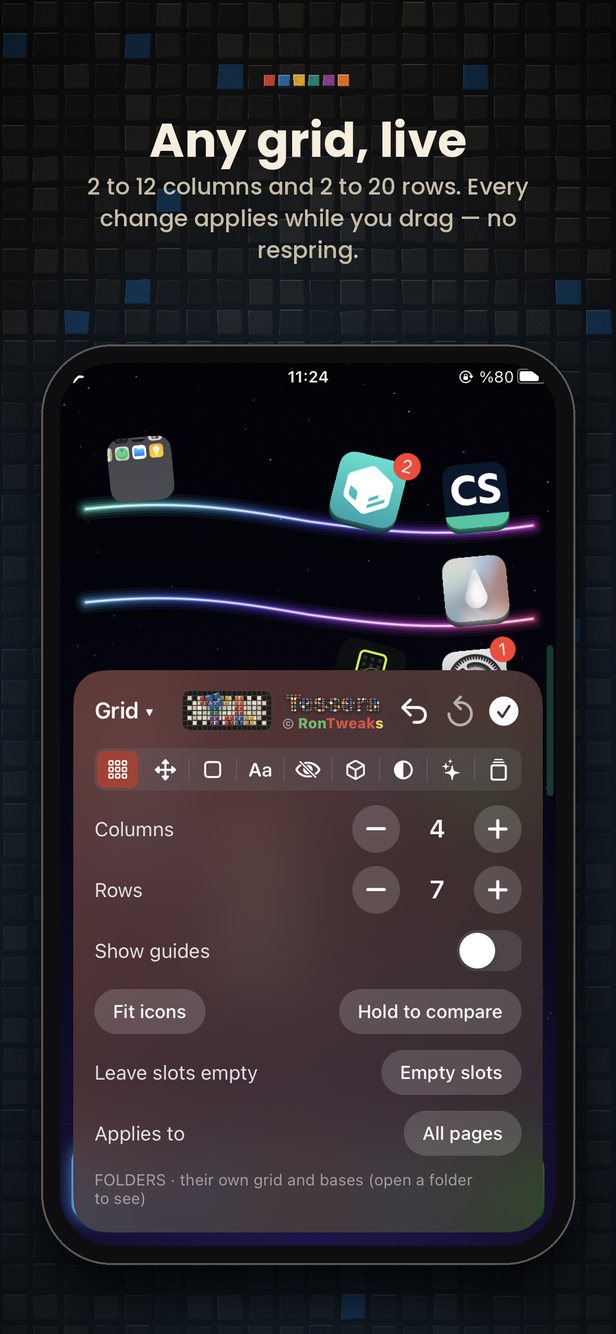
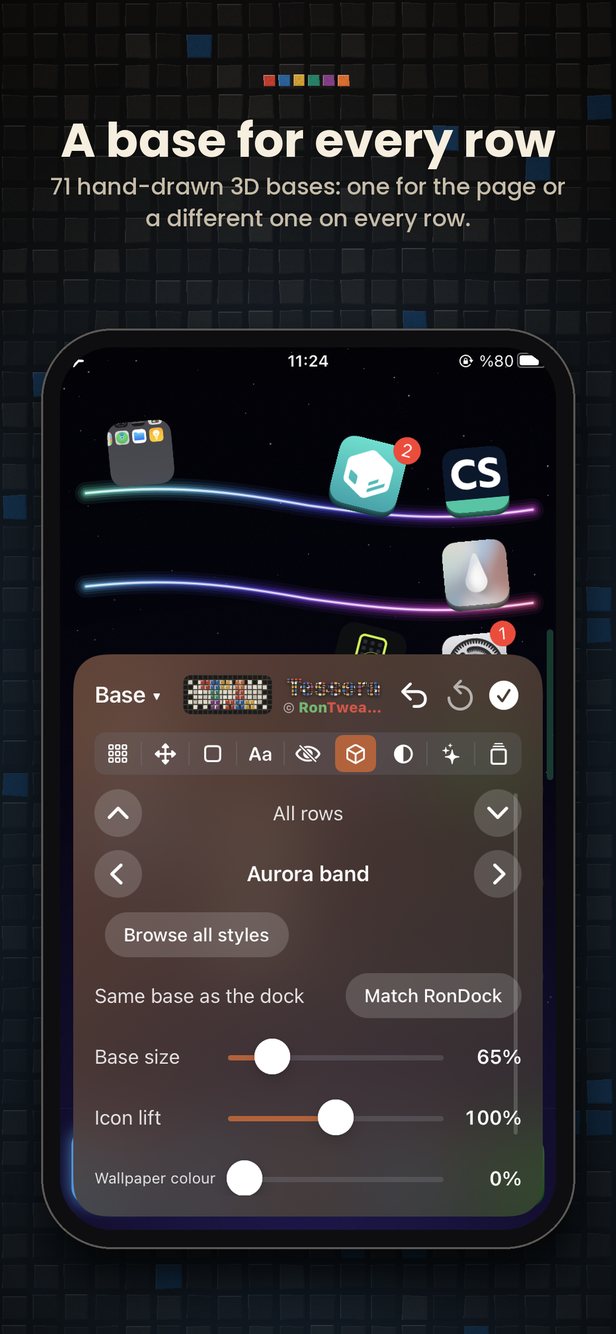
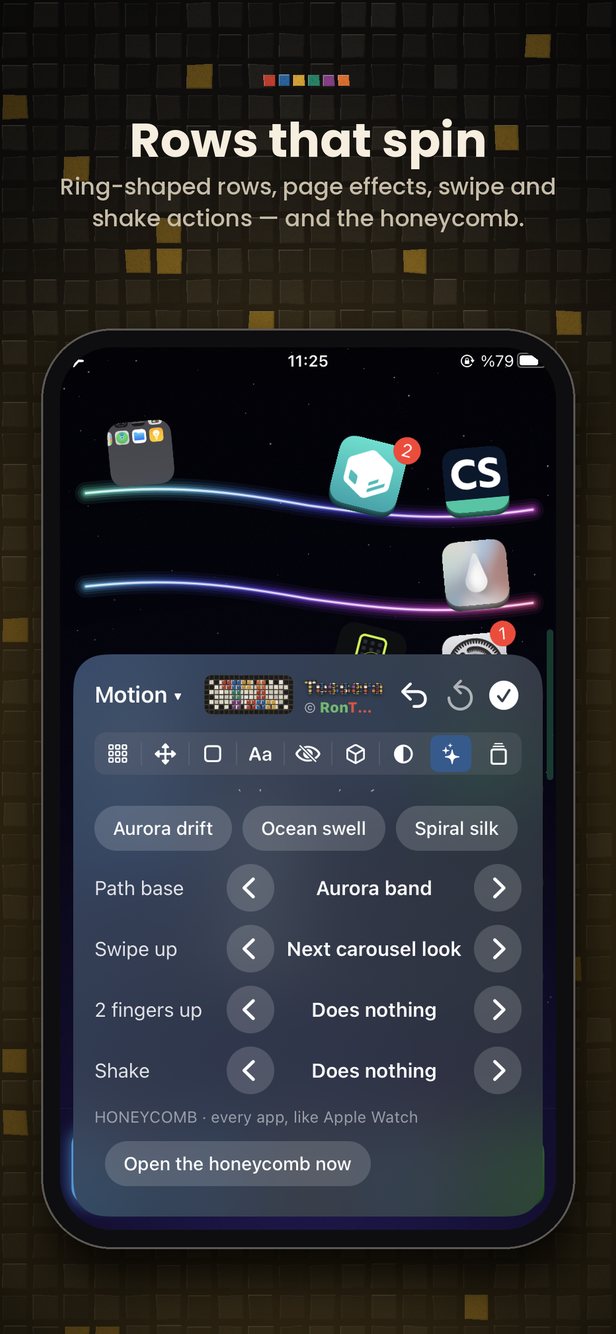
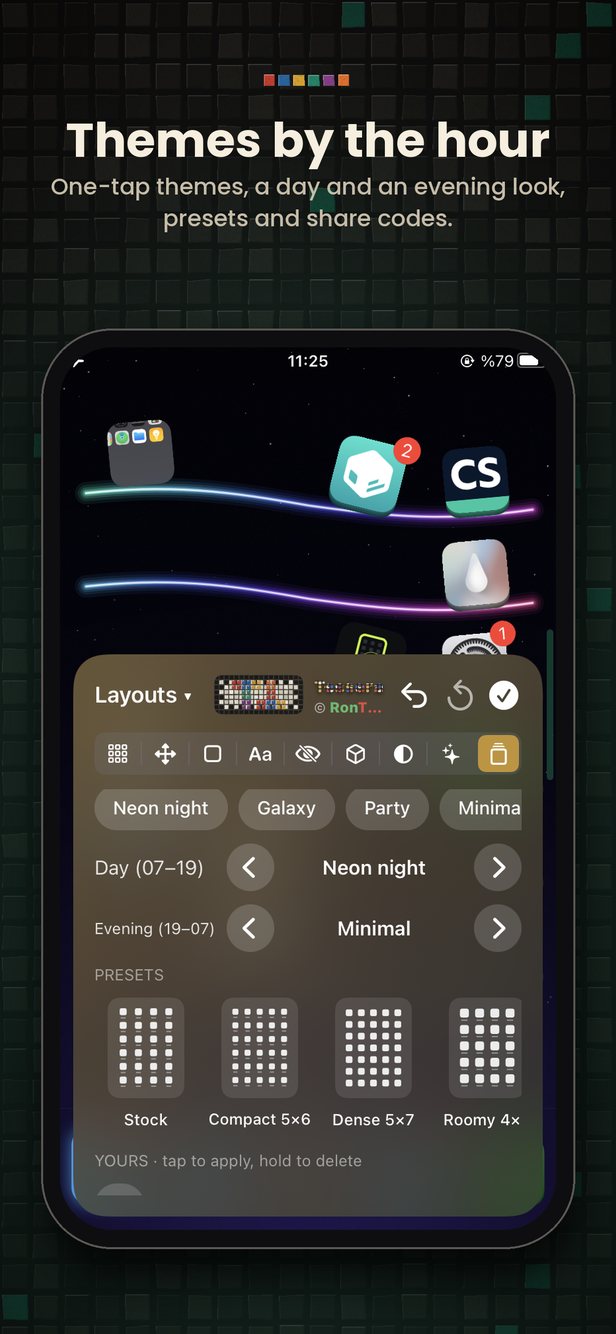
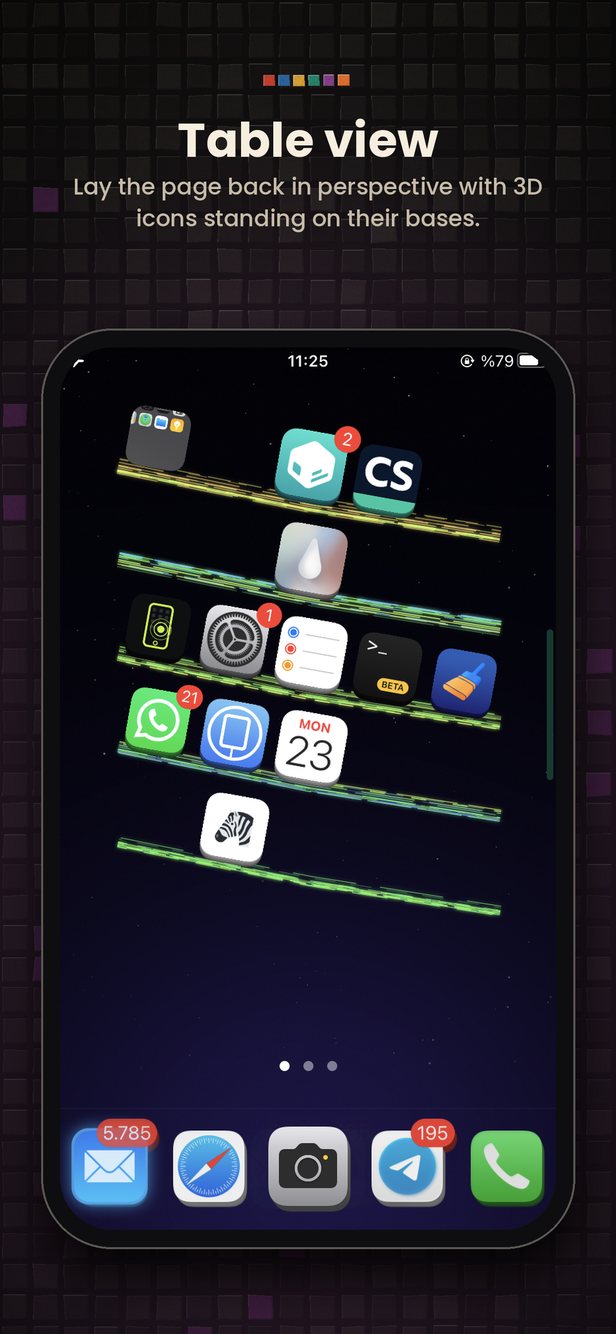
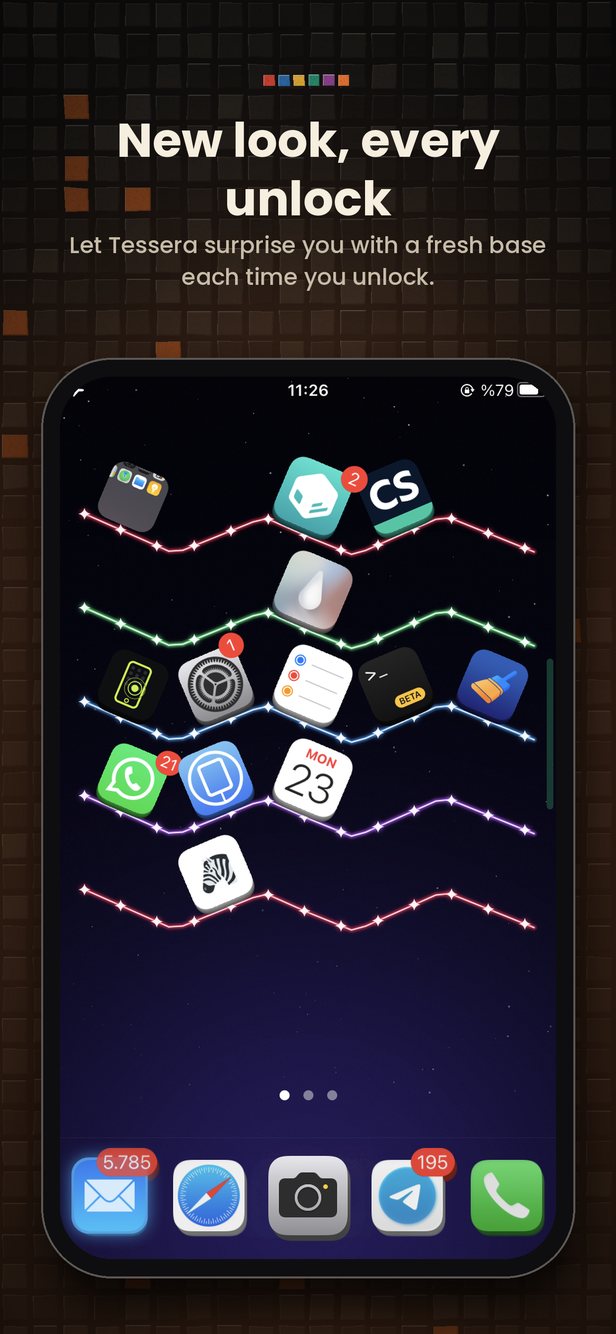
Tessera turns your Home Screen into a mosaic you lay out yourself. Pinch the Home Screen and a compact editor slides up from the bottom. Every change is applied to the real icons while you drag — columns, gaps, sizes, bases, effects — so you see the result as you make it. There is no respring for any layout change, and nothing you do can scatter your icons.
A short guided tour opens the first time and walks through every tab, so you never have to guess where something is.
🧱 The grid, exactly how you want it
- Columns and rows — anywhere from 2 to 12 columns and 2 to 20 rows, changed instantly.
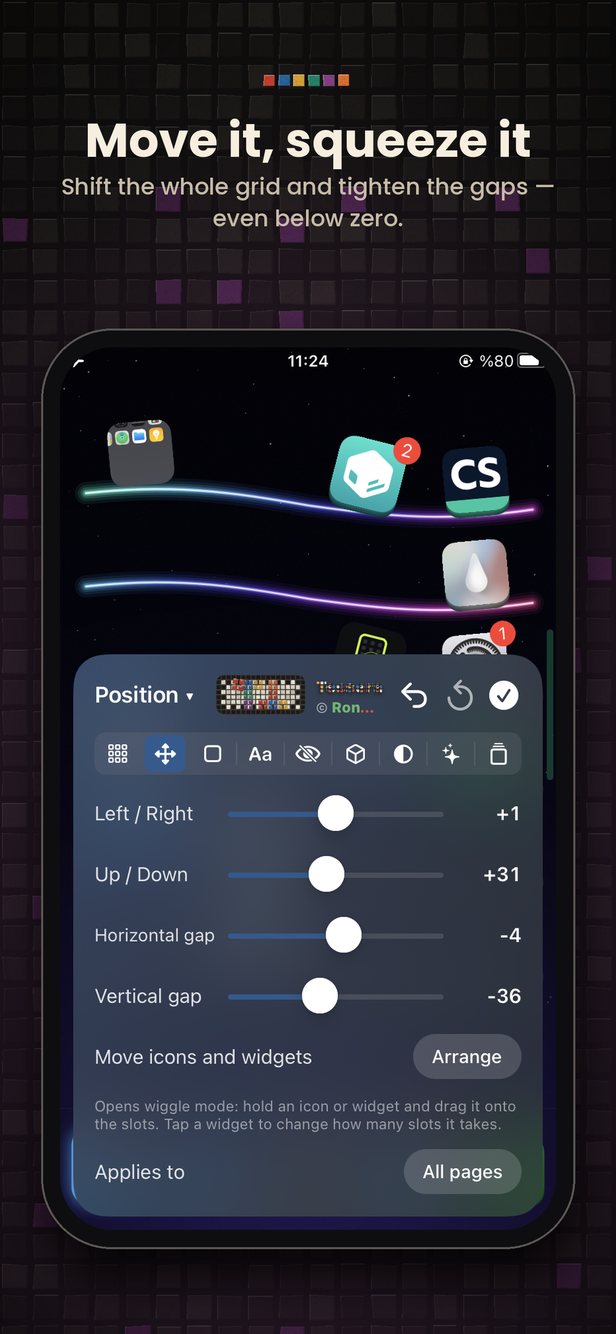
- Position and gaps — move the whole grid left/right and up/down; open up or tighten the horizontal and vertical gaps. Gaps can go below zero for a dense, layered look.
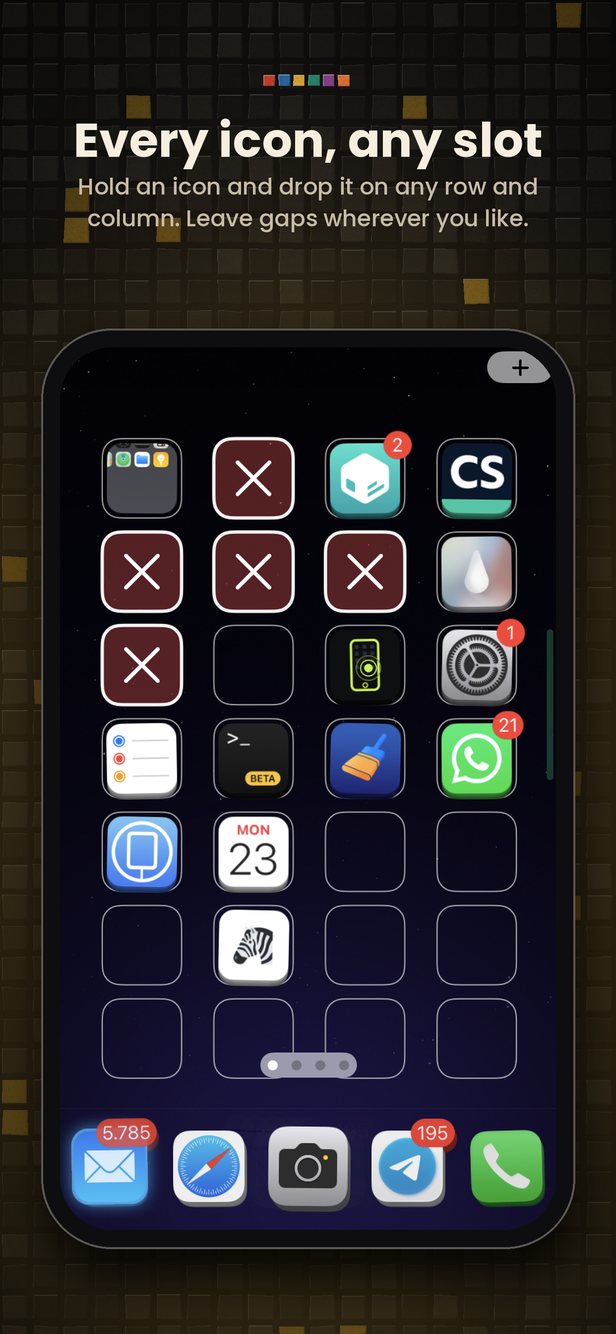
- Place icons anywhere — in wiggle mode, hold an icon and drop it on any row and column of the page, on another page, or into the dock. No other icon moves, so you can leave gaps exactly where you want them.
- Empty slots — tap slots to keep them free; your icons arrange around them.
- One page or every page — give each page its own grid, spacing, icon size and bases, or set one look for all.
- Guides, Fit and Compare — dashed guides show every slot while you edit; Fit icons shrinks icons just enough to stop them touching; Hold to compare shows the stock look until you let go.
🪟 Widgets as big icons
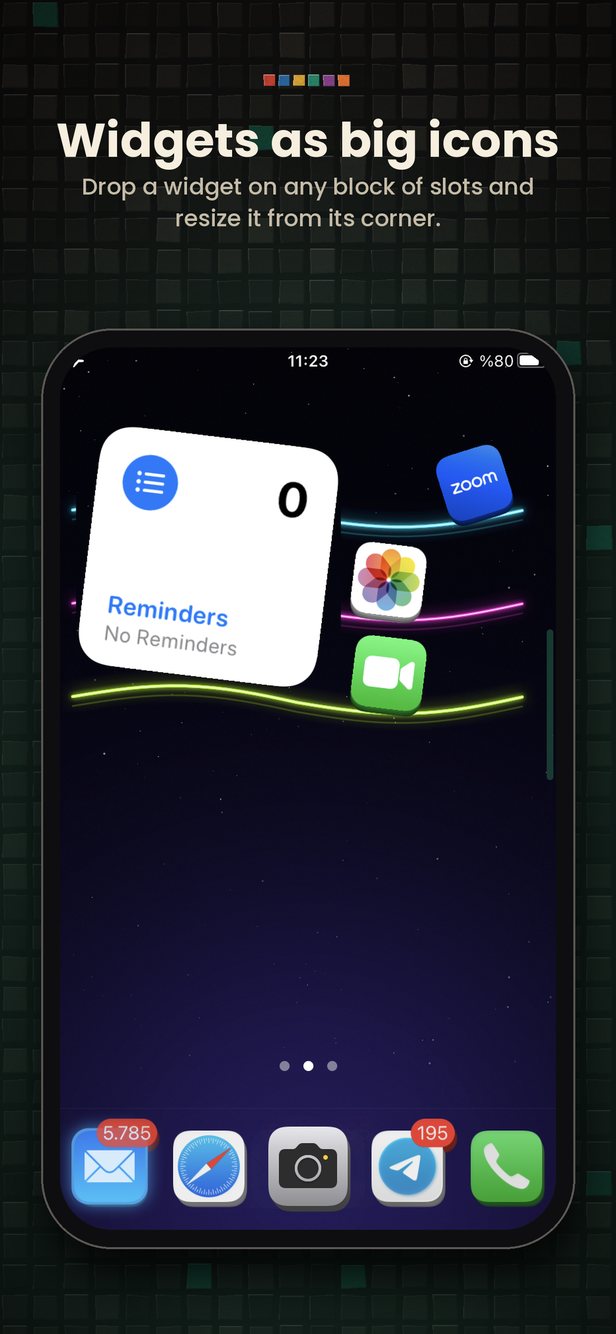
In wiggle mode, drag a widget onto any block of slots (2×2, 4×2, 4×4 … up to 6×6) and drag its corner to resize it. It keeps its own shape, lines up with the icons beside it and stands on the row's 3D base. Icons can go anywhere around it. Optional 3D depth for widgets, too.
🏛️ Hand-drawn 3D bases
Shelves, glass, wood, marble, neon, light trails, ribbons and more — bases that sit under each row of icons, with the icons lifted to stand on them.
- One base for the whole page, a different base on every row, or your own pick per row.
- A gallery with a picture of every base; base size, icon lift and a wallpaper-coloured option to fit it to your setup.
- Optionally a new base every time you unlock.
- Have RonDock? Match RonDock gives your rows the same base as your dock.
🎨 Icon looks
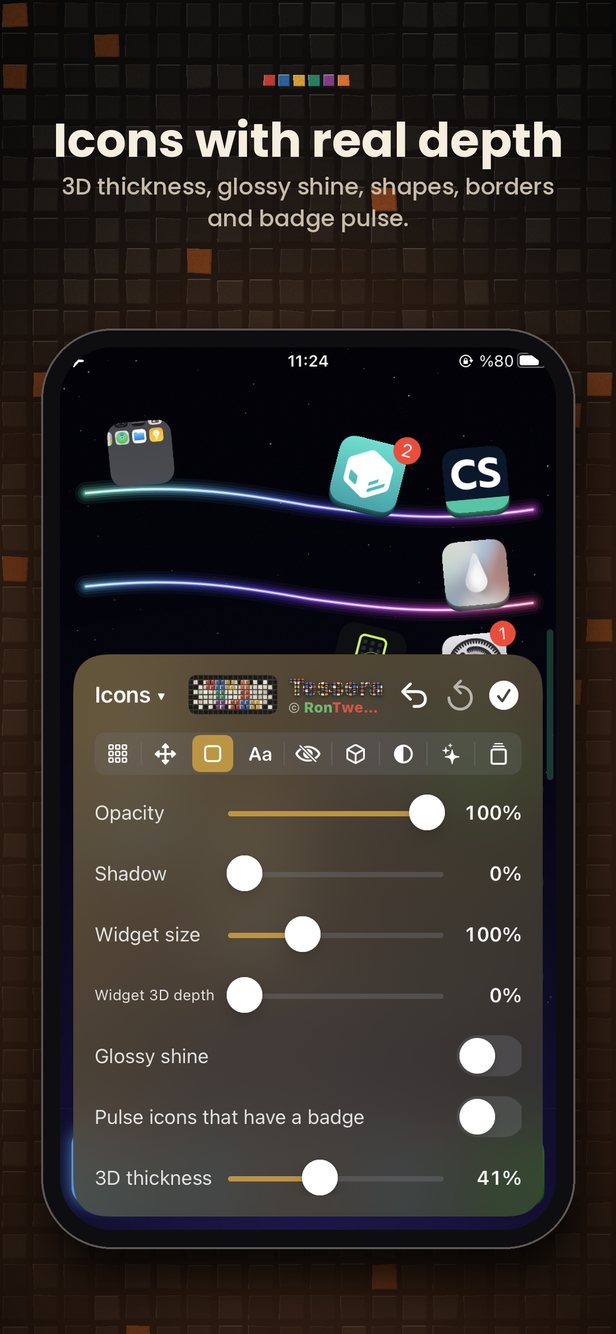
- Size, opacity and drop shadow.
- Shapes: circle, squircle, hexagon, octagon, diamond — with an optional coloured border and glossy shine.
- 3D thickness: icons get a real body, with the light coming from the side you choose.
- Tilt with the phone, Table view (the page lies back in perspective) and Press in on touch (icons sink under your finger).
- Icons with a badge can pulse.
- Labels: size, distance, opacity and colour — or hide them completely.
🙈 Hide what you don't want to see
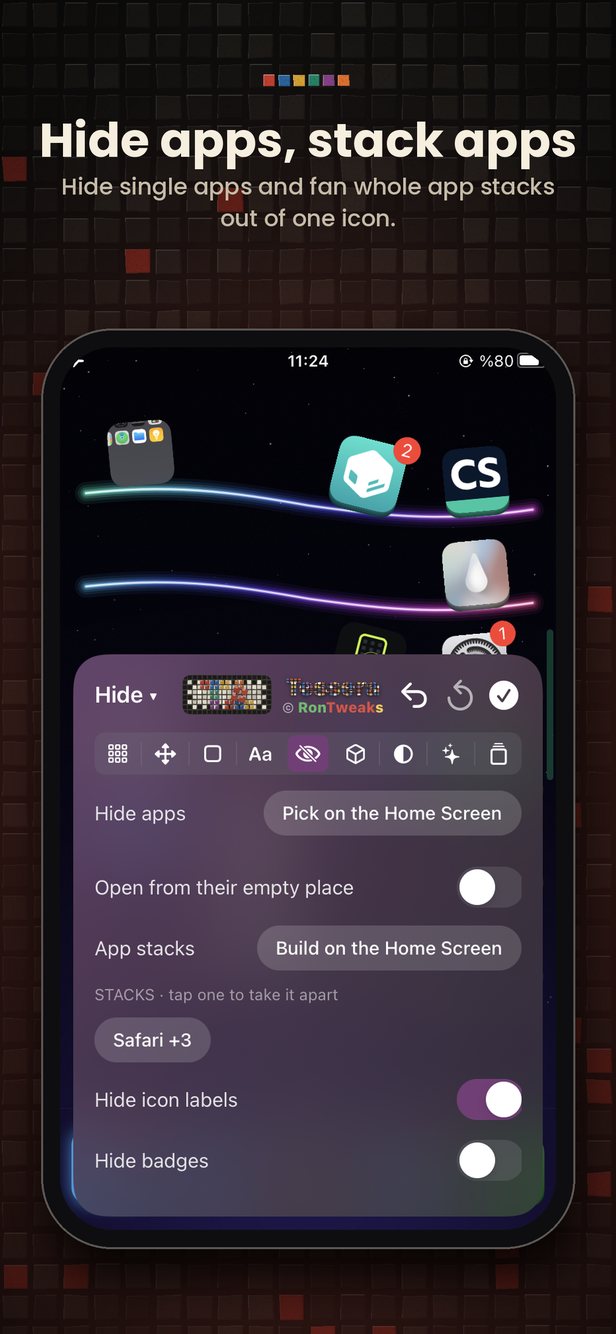
- Hide icon labels, badges, page dots, labels in folders and folder backgrounds — each with one switch.
- Hide single apps: pick them right on the Home Screen. A hidden app leaves an empty slot.
- Hidden but reachable: optionally, a tap on the empty slot where a hidden app was still opens it.
🗂️ App stacks
Put apps behind an app. Swipe up or down on the main app and the apps behind it fan out around the icon — tap one to open it. Build stacks right on the Home Screen, add or remove apps any time, or simply swipe up on a plain app to start a new stack there.
📁 Folders, upgraded
Folders get their own columns and rows, their own 3D base and row gap, a panel colour, a name style and an opening effect (burst, rain or spin in). Turn on Tap opens first app and a folder behaves like its first app, while a swipe up opens the folder.
🍯 Honeycomb — every app, like Apple Watch
Spread two fingers (or double/triple tap — your choice) and every app you own appears on one honeycomb: full size in the middle, shrinking softly towards the edges. Move it around with one finger and tap to open. Your most used apps sit in the centre (or choose A to Z), with adjustable size and lens strength.
🎠 Carousel rows & page-swipe effects
- Carousel rows (experimental): every row becomes a ring that spins — wheel, helix, zigzag and more. Spin a row — or all rows together — with two fingers.
- Page-swipe effects play while pages slide, in four groups that can run together: whole page (Cube, Flip, Stack…), every icon (Vortex, Explode, Drain…), rows as strips and pages as cards (RonDock's carousel styles). Hold an effect to preview it, star favourites, set the strength, or get a random favourite after every unlock.
- Launch flight: icons fly along a shape — zigzag, heart, star, rocket and more — before an app opens.
🌗 Themes, wallpaper and the editor itself
- Themes set bases, rows and effects in one tap and leave your grid alone — Neon night, Galaxy, Party, Minimal, Cozy shelf, Glass, Retro arcade and My wallpaper.
- Day and evening themes switch by themselves with the time of day; a separate saved layout can follow light and dark mode.
- Backdrop: a soft panel behind a page's icons; dim or blur the wallpaper on any page.
- Gestures: swipe up, two fingers up and shake can each run an action you choose — next base, next carousel look, next row style, next page effect, open the honeycomb, or shuffle everything.
- The editor has its own living mosaic look, with colour styles to match your taste.
💾 Save, share, undo
- Presets with live previews, plus your own saved layouts (tap to apply, hold to delete).
- Share codes: Copy code puts your whole look — theme, grid, bases, rows, effects — on the clipboard for anyone with Tessera; Paste code applies theirs.
- Undo steps back through your changes one at a time, even after closing the editor.
- Backup and restore everything to a single file.
🛡️ Built to be safe
- Tessera never applies a grid your icons don't fit in, so SpringBoard never scatters your Home Screen — it tells you which page to tidy first.
- Your icon arrangement is kept and restored if SpringBoard ever starts without Tessera (safe mode).
- No respring needed for any layout change.
- Performance mode for older devices drops shadows, blur and per-icon effects with one switch (optionally automatic in Low Power Mode).
- Tested daily on an iPhone 7 running iOS 15.
🚀 Getting started
Pinch in on the Home Screen to open the editor (or choose double / triple tap on empty wallpaper in Settings → Tessera). The tour shows you everything; you can open it again from the Layouts tab.
📱 Compatibility
iOS 15 to iOS 26, rootless jailbreaks (developed and tested on Dopamine). arm64 and arm64e devices. Works alongside RonDock. Languages: English and Turkish.
💬 Support
Ideas, wishes and bug reports are very welcome: support@rontweaks.com
Activation
After checkout you receive a code like TSRA-XXXX-XXXX-XXXX-XXXX. Install Tessera from the repo, then open
Settings → Tessera → Enter activation code. Respring once afterwards. One code activates one device; if you change phones, write to us and we will move it.
Tessera checks its licence about once a day and keeps working offline for up to 14 days.